The Core Difference Between Collating and Kitting
In commercial printing, collating refers to arranging individual printed sheets into a predetermined, sequential order, such as gathering pages one through twenty to assemble a training manual. Without collating, a print run delivers stacks of identical pages—all page ones together, followed by all page twos. Collation organizes those loose pages into finished, consecutive sets ready for stapling, spiral binding, or insertion into a binder.
Kitting, on the other hand, is a broader fulfillment service that gathers distinct items—often across completely different formats—into a single unified package. While collation works with single sheets within one publication, kitting might combine a coil-bound handbook, a branded lanyard, two laminated instruction cards, a customized name tag, and a marketing flyer into a single presentation box or mailer.
Understanding this distinction helps print buyers communicate their specifications clearly when requesting estimates. If you ask a print shop for collation, they assume you need sequential page sorting for a booklet or report. If you request kitting, you are asking the production team to assemble multiple separate components, pack them by hand or machine, and prepare the bundles for direct distribution to recipients.
How Collation Works on the Print Production Floor
Modern digital presses often handle collating electronically right at the output tray. When sending a multi-page PDF file to print, operators choose between collated and uncollated output. Selecting collated output prompts the machine to print the complete file from first page to last page repeatedly, outputting organized booklets or document stacks directly into an offset finisher that slightly shifts each completed set for easy separation.
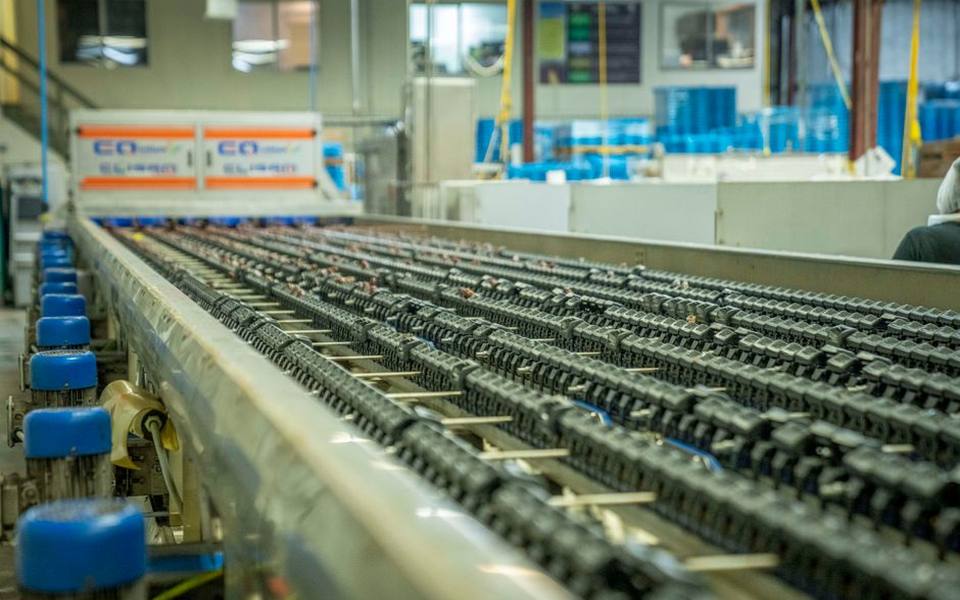
For traditional offset printing, sheets are typically run in massive batches of identical pages across multiple press runs. In these environments, mechanical collators—tower-style machines with dozens of separate paper bins—feed one sheet from each bin simultaneously onto a conveyor belt. The conveyor gathers the pages in sequence before passing them along to inline stitching, trimming, or hole-punching stations.
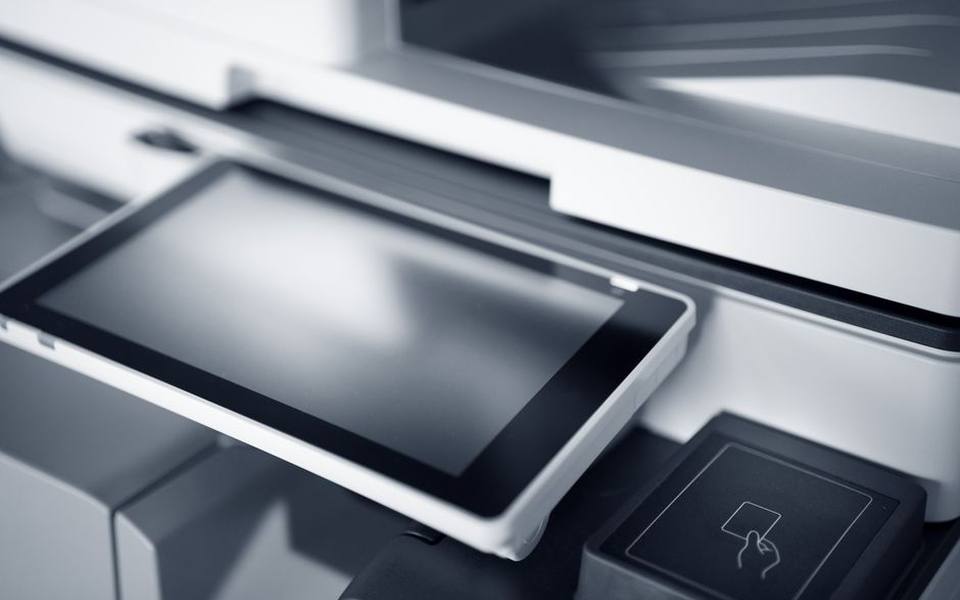
If you are using self-service printing at a local retail print counter for a quick report, checking the collate box on the touch panel ensures your copies exit in order. Forgetting this setting leaves you with tall piles of identical pages that must be sorted by hand, costing valuable time before a presentation.
Kitting Applications in Warehousing and Manufacturing
While print shops use kitting to bundle collateral, the concept originates in industrial manufacturing and logistics. In manufacturing facilities, kitting involves gathering all raw parts, fasteners, and sub-assemblies required for a specific build into a single tote before sending it to assembly workers. This prevents assembly line delays because technicians have every part on hand rather than searching through warehouse aisles during production.
In commercial logistics and fulfillment warehouses, kitting combines separate stock keeping units into a single new package for retail distribution or e-commerce delivery. For example, a warehouse team might bundle a cordless power tool, two battery packs, a charger, and an instruction manual into one retail-ready box. Warehouses rely on kitting to streamline order picking and reduce shipping costs.
Commercial printers adapt these exact warehouse methodologies when handling large corporate orders. A business expanding into new regional markets might contract a commercial printer to produce marketing signage, corporate stationery, and employee handbooks, store them in a regional warehouse hub, and kit customized welcome crates for each newly opened branch.
Protective Packaging and Poly Bagging Essentials
Once items are collated or gathered into kits, they must be protected during transit. Poly bagging is a finishing method where printed materials, catalogs, or promotional kits are sealed inside clear, durable polyethylene plastic. Unlike rigid shrink wrapping, which uses intense heat to pull thin film tight around a book, poly bagging creates a looser, flexible enclosure that accommodates thick, multi-component assemblies.
Poly bags provide critical moisture resistance for publications delivered through the postal service, ensuring rain and humidity do not ruin paper fibers before delivery. Direct mail campaigns frequently use poly bags to enclose a primary magazine alongside loose reply cards, product samples, or specialty catalogs without risking postal machine jams.
Print fulfillment centers also use automated poly bagging equipment to apply mailing labels, barcodes, and postage directly to the outside of the plastic sleeve. This automation speeds up distribution and keeps fulfillment labor costs manageable for recurring subscriptions and complex corporate shipments.
Using Pocket Folders for Corporate Presentations
A pocket folder is a heavy paper stock folder engineered with one or two internal flaps designed to hold loose printed documents securely without mechanical binding. These folders are standard fixtures for legal briefings, medical intake packages, sales pitches, and real estate transactions because they allow users to insert, remove, and reorganize individual sheets at will.
Commercial printers produce presentation folders using specialized die-cutting presses that score, cut, and glue heavy cover stock into shape. These folders can feature single or double internal pockets, expandable box spines to accommodate thick handbooks, and custom die-cut slits cut into the pocket faces to hold standard horizontal or vertical business cards.
When planning a promotional kit, pocket folders act as the central organizing piece. A company can place custom collated sheets on one side and marketing brochures on the other, creating a structured, professional package for prospective clients without paying for permanent spiral or book binding.
Handling Multi-Part Records with Carbonless Forms
Carbonless forms, commonly called NCR paper, are multi-part paper sheets chemically coated to transfer handwriting or impact printing from the top sheet through to underlying copies without using messy blue carbon paper sheets. When pressure from a pen tip is applied to the top page, microscopic dye capsules on the backside rupture and react with a clay coating on the sheet underneath to recreate the writing.
These multi-part forms are widely used for invoices, bills of lading, delivery receipts, service contracts, and medical intake records where an instant physical duplicate must be handed directly to a client while retaining the master copy. Forms typically come in two-part, three-part, or four-part sequences, distinguished by color-coded paper such as white, canary yellow, and pink.
Printers collate carbonless sets by interleaving the specially coated sheets in exact sequence and brushing edge padding compound along one edge. The adhesive formula binds individual multi-part sets together while naturally releasing between sets, allowing workers to peel off one clean multipart set at a time from the padded stack.
Addressing Standards and Label Placement on Mailers
An address label is an adhesive paper or synthetic tag applied to an envelope, package, or publication containing the recipient's delivery details and postal routing information. In commercial mailing, accurate label formatting determines whether a mailpiece qualifies for discounted automated bulk rates or faces delivery delays and postage penalties from postal processing machines.
Postal regulations require mailing labels to sit parallel to the bottom edge of the mailpiece within a designated optical reading area. The label layout standard typically includes the recipient's full name, company name if applicable, street address with apartment or suite designation, and the city, state, and standard five-digit ZIP code plus four-digit routing add-on.
Commercial fulfillment facilities print address labels using variable data printing technology, pulling addresses directly from client databases onto high-speed thermal printers or inkjet tabbers. This system ensures clean barcode readability and eliminates the slow manual effort of handwriting hundreds or thousands of corporate packages.
Understanding Poster Printing Costs and Display Options
Poster printing costs depend heavily on finished dimensions, paper substrate, ink technology, and order volume. A standard short-run promotional poster measuring eighteen by twenty-four inches on semi-gloss text stock generally costs between fifteen and thirty dollars at retail counters, while large-format architectural or artistic posters on archival matte paper can cost forty to eighty dollars or more.
Volume discounts significantly shift unit economics. Ordering a single full-color poster involves individual machine setup and file rasterization, driving up the per-unit price. In contrast, producing runs of fifty or more identical posters on wide-format roll-to-roll presses or UV flatbed presses reduces per-unit costs to just a few dollars per print.
Finishing upgrades also contribute to total production expenses. Adding a protective clear laminate layer, mounting the poster to rigid foam board, or applying grommets for hanging adds material and labor costs to the invoice. Discussing display environments with the shop beforehand ensures you select the right balance of paper weight and durability for your budget.
Specialized Large-Format Capabilities: Vehicle Wraps
Beyond paper prints and booklets, many full-service print shops operate wide-format production divisions specializing in fleet graphics and vehicle wrap printing and installation. These projects transform commercial delivery vans, food trucks, and corporate service vehicles into mobile billboards using heavy-duty cast vinyl films.
Vehicle wrap production requires specialized solvent or latex printing equipment capable of printing onto flexible vinyl rolls with UV-resistant inks. After printing, technicians laminate the vinyl with an optically clear, flexible overlaminate to protect the inks from stone chips, road salt, car wash brushes, and prolonged sun exposure.
Finding reliable shops capable of handling automotive vinyl involves looking for print facilities that feature climate-controlled indoor installation bays. Proper adhesion requires dust-free environments and steady ambient temperatures, making dedicated commercial shops preferable to mobile or outdoor installers across commercial hubs in states like Texas.
Everyday Front-Counter Services: Notarization and Scanning
In addition to heavy manufacturing and binding, neighborhood print shops and corporate copy counters provide critical document administrative services. Customers frequently seek these centers when asking how to legally notarize a formal agreement, personal affidavit, or financial deed, as many commercial parcel and print centers maintain on-duty licensed notaries public during standard business hours.
Notarizing a document requires presenting valid government-issued photographic identification, such as a passport or driver's license, to the notary before signing the page in their presence. Notary fees are typically regulated by individual state statutes and generally range from a few dollars up to fifteen dollars per signature stamp, depending on local legal caps.
These service counters also assist clients with administrative imaging tasks like high-speed document scanning for multi-page real estate closings and instant passport photo printing that meets government biometric criteria. Combining printing, notarization, and digital archiving under one roof makes commercial copy centers an essential resource for completing time-sensitive administrative tasks.
Published 2026-09-20 · reviewed with each rebuild, last September 2026.
Find places to print near you
The directory lists 23,804 places to print by state and city — pick your state or use the “Near me” button in the header.
More guides
-
 Service
Where to Get Passport and Visa Photos Taken: Costs and Specs
-
 Service
Choosing Where to Print Your Digital Photos: Online Labs vs. Neighborhood Stores
-
 Buying
Standard Business Card Sizes, Stock Thickness, and Printing Costs
-
 Buying
Choosing the Right Custom T-Shirt Printing Method and Understanding Costs
-
 Service
A Practical Guide to Printing Digital Files, Fixing Common Output Errors, and Preparing Custom Media
-
 Buying
Understanding Sticker Cutting Styles: Die Cut, Kiss Cut, and Custom Formats
-
 Buying
How to Order Custom Canvas Prints: Materials, Sizes, and Costs
-
 Buying
Business Card Printing: Design, Templates, Finishes, and Local Vendors
-
 Buying
Custom T-Shirt Printing Guide: Screen Printing, DTG, and Ordering in Bulk
-
 Service
A Guide to Photo Printing, Passport Photos, and Custom Photo Books
-
 Buying
Digital and Physical Gift Cards: Buying, Printing, and Custom Solutions
-
 Buying
Custom Event Invitations: Graduation, Wedding, and Party Announcements
-
 Buying
Custom Canvas Prints: Framing Options, Wall Art Sizes, and Collage Design
-
 Service
Online Fax Services: Sending and Receiving Digital Faxes Without a Landline
-
 Buying
Custom Embroidered Patches, Clothing Badges, and Hat Embroidery
-
 Service
International Shipping Services: Comparing DHL, USPS, UPS, and FedEx
-
 Service
A Complete Guide to Custom Stickers, Vinyl Decals, and Die-Cut Labels
-
 Buying
Custom Drinkware and Water Bottle Printing Guide
-
 Buying
Custom Rubber Stamps and Self-Inking Stamp Guide
-
 Buying
Guide to Personalized Wrapping Paper and Custom Gift Packaging
-
 Buying
Custom Banners, Table Covers, and Trade Show Displays: Materials, Hardware, and Setup
-
 Service
Custom Apparel, Embroidery, and Patch Production Guide
-
 Buying
Custom Playing Cards and Deck Printing Buying Guide
-
 Service
Custom Greeting and Holiday Card Printing Guide
-
 Owning
Custom Vehicle Magnets and Bumper Stickers: Thickness, Durability, and Finish Guide